
You’ve spent the day welcoming customers, preparing orders or finishing a job. Then a notification arrives: a new Google review. Two stars, a few lines, and a criticism you weren’t expecting.
Should you reply straight away? Apologise? Explain your side? And what should you say when the comment feels unfair?
To respond to a Google review, start with the specific point the customer has raised, give a factual answer and offer a next step where needed. A few sentences tailored to the situation are often more useful than a lengthy explanation.
Whether you run a guesthouse, a salon, a bakery or a trade business, remember that people who haven’t visited or hired you yet will also read your reply.
Why respond to customer reviews?
Your Google Business Profile gives people an initial picture of your business: photos, opening hours, services and a rating. The exchanges beneath your reviews add something else: a sense of how you welcome people, listen to them and handle problems.
Imagine two restaurants receiving the same complaint about slow service. The first replies that the customer should have been more patient. The second acknowledges the wait and briefly explains what happened. The original problem is the same, but the replies leave very different impressions.
You cannot control every comment people post. You can choose how your business responds.
Should you respond to every Google review?
You can thank happy customers without turning every reply into a writing exercise. Give particular attention to detailed feedback, questions and problems that need a follow-up.
Has someone taken the time to describe their stay, mention a thoughtful touch or recommend your team? Acknowledge that detail. For a rating without a comment, a brief thank-you may be enough.
Above all, avoid posting the same response twenty times. A series of identical replies tells future customers very little and can feel automated.
How do you respond to a positive review?
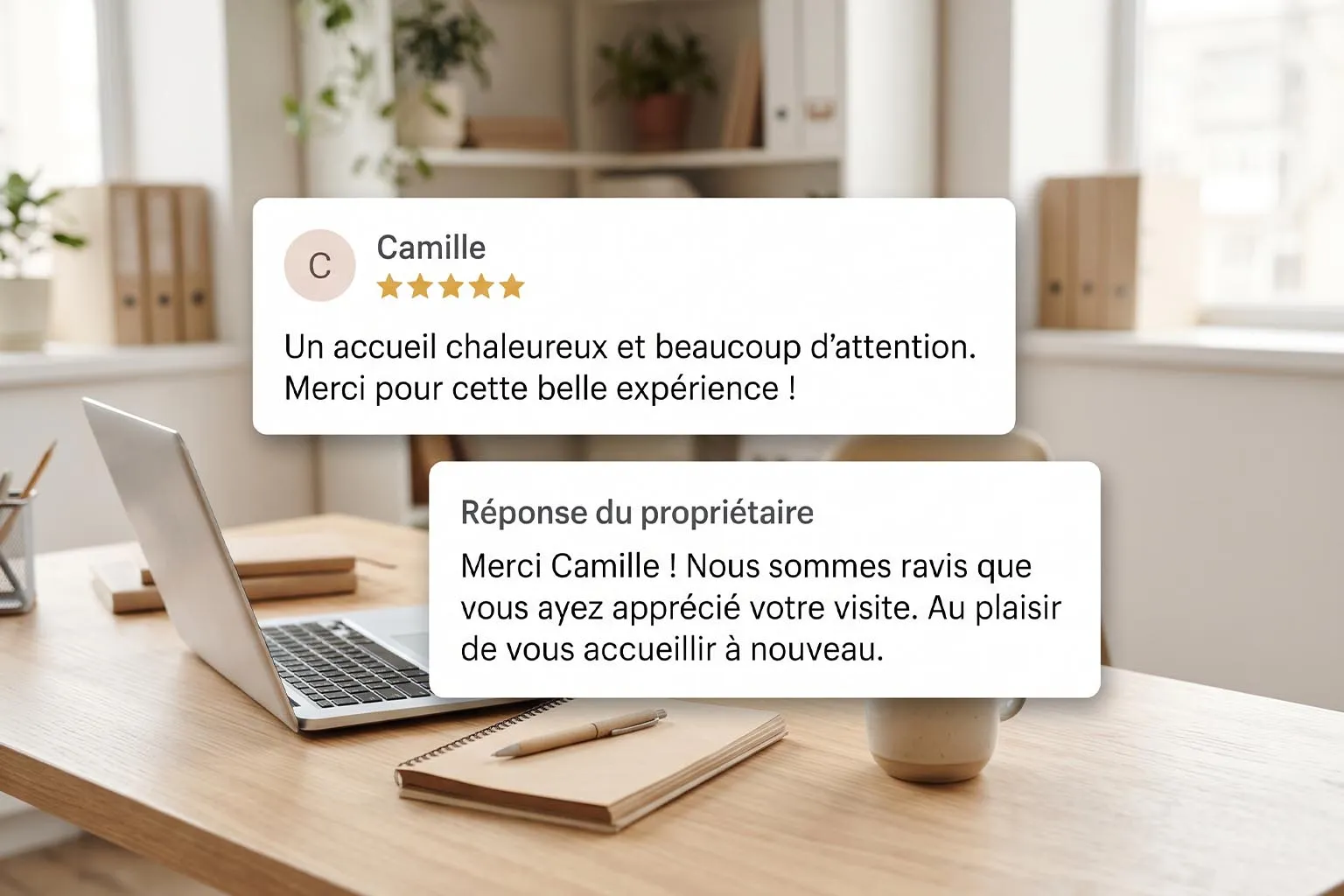
A positive review calls for a simple reply: thank the customer, mention something from their comment and, where appropriate, say you would be happy to welcome them back.
The examples in this article are fictional. Adapt them to the facts and your own tone of voice, and replace any text in square brackets before publishing.
Example for a guesthouse
The guest enjoyed the garden and breakfast:
Thank you for your lovely feedback! We’re delighted you enjoyed the peaceful garden and breakfast. We’d love to welcome you back for another stay.
Example for a tradesperson
The customer highlights the care taken with the finishing touches:
Thank you for trusting us with the work and for your kind words about the finish. We’re pleased you’re happy with the result. Enjoy your new space!
There’s no need to add a promotion or a list of your services. The review is about an experience: keep your reply focused on that conversation.
How do you respond to a negative review without making things worse?
Before writing, check what happened. Look at the information available and speak to any team member involved. If the comment makes you angry, write a draft and come back to it later.
Use the following structure as a guide, rather than a script to copy into every reply.
- Name the problem. Whether it was a wait, a finishing issue or missing information, show that you understand what the customer is referring to.
- Acknowledge a mistake when it has been confirmed. A specific apology is clearer than a vague “sorry for the inconvenience”.
- Briefly explain what you can do. Mention only actions you are taking or commitments you can keep.
- Offer a private conversation if follow-up is needed. Provide a straightforward business contact method.
Example: a delay at a salon
If the delay and lack of communication have been confirmed:
Hello, we’re sorry you had to wait for your appointment and that we didn’t let you know sooner. We understand this disrupted your plans. Please contact the salon so we can discuss it with you directly.
Example: a problem after work has been completed
If you need to inspect the problem before commenting further:
Hello, thank you for letting us know about your concern with the finish. We’d like to look into this with you. Please contact us at [business contact details] so we can arrange a time to discuss it.
A public reply should offer a useful way forward. If you invite the customer to get in touch, make sure someone follows through. And don’t claim to have changed your procedures if nothing has changed yet.
What should you say when a review feels unfair?
A complaint may come from a misunderstanding, different expectations or information the customer missed. You can clarify the facts without trying to challenge every sentence.
Take a guesthouse where breakfast costs extra. If this was clearly stated in the offer the guest booked, a reply could be:
Hello, we understand your disappointment. Breakfast is available at an additional charge, as stated in the booking details. We’re happy to go through the information you received before your arrival with you.
This explains how the business operates without blaming the guest for not reading.
Before replying, ask yourself whether the information was genuinely easy to find. If several people encounter the same problem, it may be worth reviewing how you present prices or services on your website.
One star with no comment: how should you respond?
Without an explanation, you don’t know what went wrong. There’s no need to invent a reason or apologise for an incident you know nothing about.
Hello, we’d like to understand what didn’t meet your expectations. Please contact us at [business contact details] so you can tell us more.
If you don’t recognise the name, keep an open mind. The reviewer may use a screen name, or the booking may have been made in someone else’s name.
Avoid immediately stating, “You’ve never been a customer here.” Instead, ask for more information privately so you can identify the visit or service involved.
Can you delete a negative Google review?
You cannot delete a customer’s review yourself. You can report it if it appears to break Google’s policies, for example if it contains spam or abusive content. Simply disagreeing with a review is not enough to have it removed.
Open the reviews on your Business Profile, select the reporting option next to the review and choose the appropriate reason. Google then assesses the report; removal is not automatic.
Google explains the process in its guidance on reporting inappropriate reviews.
Do not offer a discount or gift in exchange for deleting or changing a review: Google prohibits these incentives. Any goodwill gesture offered to resolve a problem should remain independent of what the customer publishes.
Mistakes to avoid in your replies
Some phrases can make the conversation more difficult, even when they are written out of frustration or tiredness.
| Avoid | A more useful approach |
|---|---|
| “You’re the only person who has complained.” | Address the specific problem this customer describes. |
| “You should have read the details before booking.” | Calmly explain the relevant condition. |
| “Sorry you took it that way.” | Acknowledge the actual difficulty, where it has been established. |
| A long reply disputing every detail. | Focus on the key facts and a useful next step. |
| Personal information about the customer. | Keep details of the situation for a private conversation. |
| An unrealistic promise to fix everything. | Explain what you can actually do. |
Read your reply again and ask yourself: if I were discovering this business today, would this exchange make me feel confident about choosing it?
Does responding to reviews improve local SEO?
Google says local rankings are mainly based on relevance, distance and prominence. Review numbers and positive ratings are among the factors it takes into account.
This does not mean that every reply moves your profile up the results. Google presents helpful replies as a way to show customers you care and help your business stand out.
Avoid forcing your trade and location into every message. “Thank you for choosing our hair salon in Dinan, your specialist hairdresser in Dinan” sounds like an advertisement rather than a reply.
Focus on the overall picture: accurate information, up-to-date opening hours, representative photos, a clear website and useful conversations with customers.
A simple routine for managing your Google reviews
Set aside a short, regular time to check new reviews. For a small business receiving only a few, checking twice a week can be a starting point. Adjust this to the volume of feedback and any urgent situations.
Deal first with questions and problems that need follow-up. Then thank customers who have shared their experience. Finally, make a note of recurring comments.
Do visitors struggle to find the entrance? Add a photo and directions. Are several customers surprised by an additional charge? Make it clearer before they book. Is a service regularly misunderstood? Clarify its description.
Your reviews can help you improve the information future customers see before contacting you.
Frequently asked questions about responding to Google reviews
Where can I reply to reviews of my business?
Sign in to the Google account that manages your Business Profile, open your reviews and select “Reply” beneath the relevant comment. Your business must be verified before you can reply. Your response will be public.
How quickly should I respond?
Reply as soon as you have the information you need to respond properly. A specific problem deserves prompt attention. It is better to check the facts than to publish a rushed reply while you are upset.
Can I edit a reply after publishing it?
Yes. You can edit or delete your own response from the reviews section of your profile. This can be useful for correcting a mistake or adding an update after resolving a problem.
Can I use AI to help draft a reply?
Yes, to organise your thoughts or soften your wording. Remove personal information before sharing the context, then check every fact. The published version should reflect the actual situation and your own voice. Do not let the tool invent apologies, actions or commitments.
A local presence that builds trust
Reviews are part of the impression your business makes online, alongside your photos, Google Business Profile and website. A consistent presentation helps people understand what you offer and what they can expect.
At BeFound Studio, we help small businesses present what they do clearly through visual identity, websites, photography and local presence. Just what you need, done well, with one person from the first conversation to launch.
Does your online presence reflect the care you give your customers? Let’s talk about what could be improved.